
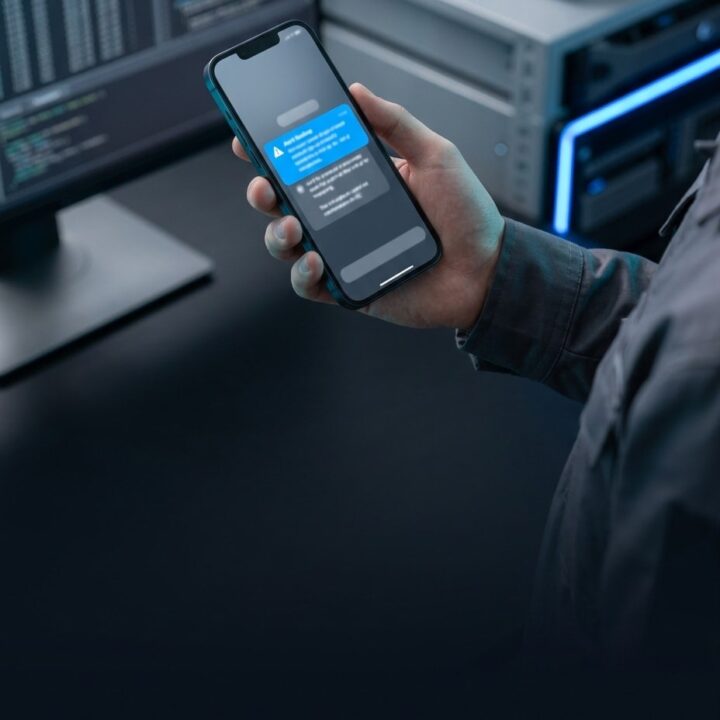
System integration testing succeeds or fails the moment a workflow executes end-to-end on an actual user device under real network conditions, rather than inside an isolated development environment or an architecture slide deck. That specific moment—when a field sales representative or warehouse manager triggers an action on a mobile device and either receives an acknowledgment in under 200 milliseconds or faces a frozen interface—determines software viability. Resilient system architecture is verified not by clean diagrams, but by software interfaces communicating asynchronously, reliably, and transparently for the end user.
System integration is the architectural and protocol-level connection of two or more independent software applications to exchange data and coordinate business workflows in real time. Engineering teams often face the temptation to present polished frontend dashboards and local mock demonstrations during initial delivery milestones. However, local environments benefit from near-infinite bandwidth, zero round-trip latency, and unconstrained memory. The operational gap between a staged demo and production hardware running against distributed endpoints is where digital platforms encounter severe functional drag.
The Staged Environment Illusion Versus Edge Reality
In a local development setup, the client, API gateway, and backing database run within the same container cluster or on identical silicon. Round-trip time (RTT) drops below one millisecond, and background device constraints are nonexistent. In production, enterprise users interact with digital platforms from low-connectivity warehouses, moving transit lines, or saturated corporate Wi-Fi connections.
Running system integration testing directly on target physical devices immediately surfaces three critical bottlenecks:
- Network latency and packet loss: Cellular data networks experience fluctuating bandwidth and high jitter. A payload transmitted from a field device often encounters carrier packet drops, connection handoffs between cell towers, or throttling.
- Hardware and thread constraints: Mobile operating systems running client web views or native shells operate under strict thermal and CPU throttling. Parsing a bloated multi-megabyte JSON payload blocks the primary UI thread, triggering noticeable interface freezing.
- OS-level background task termination: Mobile platforms like iOS and Android actively terminate idle TCP connections and freeze background threads to preserve battery life. If an integration flow cannot recover gracefully from an unannounced connection drop, transactions are lost.
Addressing these conditions requires replacing synthetic staging reviews with rigorous on-device validation. Enterprise engineering teams delivering modern custom software platforms must require physical deployment benchmarks across target hardware profiles prior to sign-off.
Anatomy of Latency: Why Integration Chains Stall
When a simple transactional command requires eight seconds rather than 200 milliseconds, sequential blocking across third-party dependencies is almost always the root cause. Enterprise workflows chained synchronously across payment processors, ERP systems, and document stores compound latency across every hop.
| Architecture Component | Typical Operation | Optimal Latency | Degraded Latency (Architecture Failure) |
|---|---|---|---|
| Client Device | Input capture, validation, event dispatch | 10–30ms | 300–800ms (Unoptimized JS processing) |
| API Gateway | Auth verification, routing, rate limiting | 5–20ms | 150–400ms (Missing edge caching) |
| Service Mesh | Downstream CRM or ERP synchronous call | 100–300ms | 2,000–5,000ms (Blocked thread waiting on vendor API) |
| Event Reconciliation | Webhook firing and database persistence | 50–150ms | Indefinite (Timeout / dropped event) |
Synchronous execution breaks down under production constraints. When an operator clicks "Submit Order" and the web application stalls while waiting for downstream inventory locks, payment verification, and ledger logging to clear sequentially, user experience collapses.
Replacing Synchronous Blocking with Event-Driven Architecture
The architectural solution to multi-second delays is the strict separation of command receipt from downstream processing using Event-Driven Architecture. Instead of forcing the client device to maintain an open, blocking connection while third-party systems complete their subroutines, systems must implement asynchronous queuing.
An event-driven execution flow processes transactions through four decoupled stages:
- Client Dispatch: The mobile or edge device issues a write request and immediately renders an optimistic UI state, assuming network success.
- Queue Ingestion: The edge ingestion gateway performs boundary schema validation and enqueues the payload onto an enterprise broker such as Redis Streams, Apache Kafka, or AWS SQS.
- Immediate Acknowledgement: The gateway dispatches an immediate response back to the client device in under 150 milliseconds without waiting for downstream microservices.
- Asynchronous Worker Consumption: Independent background workers consume messages from the queue, invoking downstream CRM, ERP, and payment endpoints via resilient background workers, and pushing final status updates via WebSockets or Server-Sent Events (SSE).
1. HTTP 202 Accepted Status Codes
Rather than blocking the client until downstream storage confirms a write, the API gateway validates payload formatting and immediately acknowledges transaction acceptance. Per IETF RFC 7231, returning an HTTP 202 Accepted status confirms that the request has been queued for execution without guaranteeing downstream completion at that exact millisecond. Gateway response times reliably drop below 100 milliseconds.
2. Optimistic UI Updates
Modern client interfaces should not freeze pending backend verification. An optimistic UI pattern updates the client state immediately upon user action while rendering an understated background synchronization indicator. If a downstream conflict occurs asynchronously, the application reconciles state gracefully and prompts the user without disrupting the operational flow.
3. Exponential Backoff with Jitter for Retries
Downstream third-party systems encounter regular transient spikes. When an enterprise CRM or billing service slows down or returns an HTTP 503 error, background queue consumers execute retries using exponential backoff combined with randomized jitter. This pattern protects upstream systems from thundering herd problems while preventing data loss.
Field-Testing Protocol for Live Integration Sign-Off
Software handoffs should never conclude over video conference screen shares. Verifying system stability requires executing integration flows directly on real hardware under constrained field conditions.
Recommended Device Sign-Off Checklist
- Bandwidth Throttling: Run core application flows under simulated or actual 3G conditions with elevated packet loss, testing whether network timeouts fail safely without dropping data.
- Offline Resilience: Trigger business actions and activate airplane mode immediately following execution. The client must store pending transactions in IndexedDB or secure device storage, automatically reconciling when connectivity restores.
- Payload Boundary Testing: Input boundary data, including max-length unicode strings and oversized payloads, to verify client-side memory usage remains stable and does not crash the device runtime.
- Controlled Upstream Failure: Purposely terminate a downstream ERP sandbox to ensure the client interface displays actionable, user-friendly guidance rather than exposing raw internal stack traces.
Engineering systems built for enterprise reliability must survive real-world edge environments. If your organization is planning an infrastructure modernization or needs to resolve integration bottlenecks across legacy systems, speak with our engineering team to conduct an architectural audit.
Common questions
What is the moment of truth in system integration testing?
The moment of truth occurs when business workflows execute end-to-end on target edge hardware under real-world network conditions. This milestone tests true latency, device rendering limits, and offline resilience, bypassing the artificial advantages of high-speed local staging environments.
Why do integrations work in staging but fail on client devices?
Development and staging environments operate with near-zero latency, unconstrained CPU power, and stable bandwidth. Production client devices face cellular packet drops, mobile OS background process termination, thermal throttling, and blocking downstream API calls that compound latency.
How does event-driven architecture resolve latency bottlenecks?
Event-driven architecture decouples client requests from downstream processing. The API gateway immediately queues the request and returns an HTTP 202 status code in under 150 milliseconds, allowing background workers to handle complex downstream ERP and CRM operations asynchronously.
Share this article
Want us to take a look?
Tell us what you are building and we will come back within one business day.